
Set up people and access
STEP 3 OF 3
Set operator rights
Warning
An operator without an Operator Type has no restrictions. Always set one.
- Open Administration > Operators.
- Give each person a separate operator name and password.
- Set an Operator Type. This sets the software rights.
- Link the operator to the correct user record.
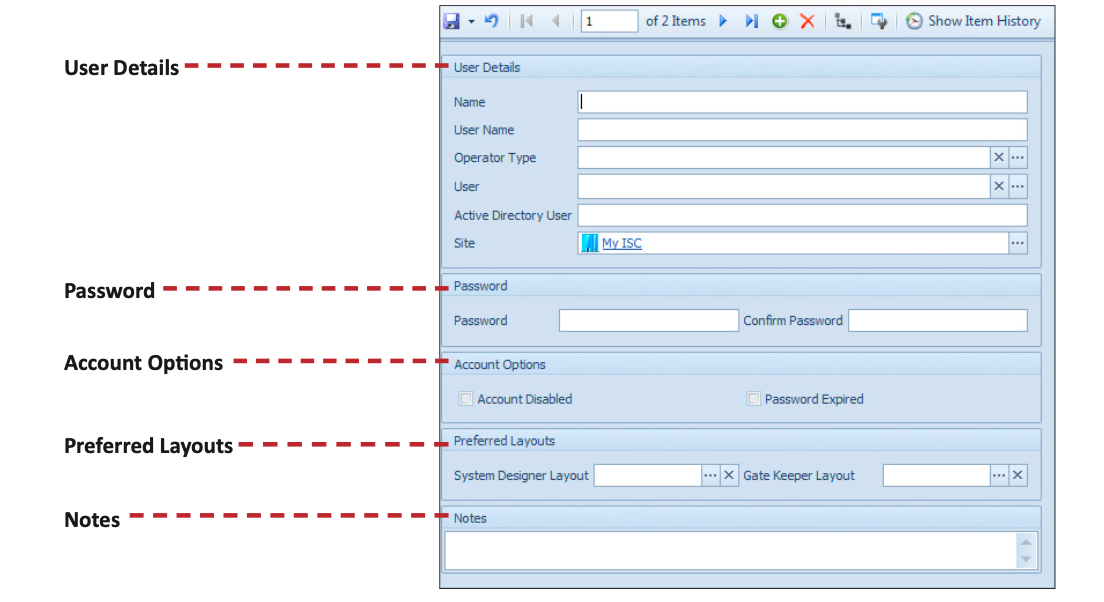 (opens full size in a new tab)
Operator A person who logs in to the software.
Expected result
Each operator has a known person, a user link, and suitable software rights.
I need help with this step
Read Operator Types before changing rights. Door access and software rights are separate controls.
If a step does not work, refer to the original documentation supplied with the software or contact support@innerrange.com.
Search the installer FAQ